Do you own domain names that are registered with Epik.com and now you're looking to move those domains to a new registrar? Then this guide is for you.
Follow the steps below to transfer your domain names away from Epik to the registrar of your choice. The entire process can usually be completed within 1 hour.
Why Transfer Your Domain Names Away From Epik
Maybe you've found a cheaper domain name registrar and you'd like to save some money. Maybe you're looking for more responsive and reliable customer service.
Or maybe you're having problems renewing domain names with Epik. As of April 2023, many users on trustpilot.com and the namepros.com forum have complained of having paid Epik for domain registrations and renewals, but the domains are not being registered or renewed. According to this post on namepros.com from user bmugford, Epik has not been active on the forum in months, is millions of dollars in debt, and is currently facing a $307,000 lawsuit from an escrow customer alledging fraud.

What's Required
In order to transfer a domain name away from Epik to a new registrar, the following pre-conditions apply:
- The domain name must have been registered with Epik for at least 60 days.
- The domain name must be unlocked and not have a HOLD status.
- You will have to pay a new registrar a transfer fee to move the domain name (and this usually extends the registration by one year). You can find the cheapest transfer fee for all domain extensions here on TLD-List. For instance, the .com extension page has the best transfer prices from over 55 registrars.
Steps to Transfer Your Domains From Epik to a Different Registrar
1. Log in to your Epik account. Using your web browser, log in to Epik.com, and then you will be redirected to your a list of your domain names registered with Epik. If you cannot see your domains, click on My Domains in the top right dropdown menu, and then click on the grey Registrar tab.
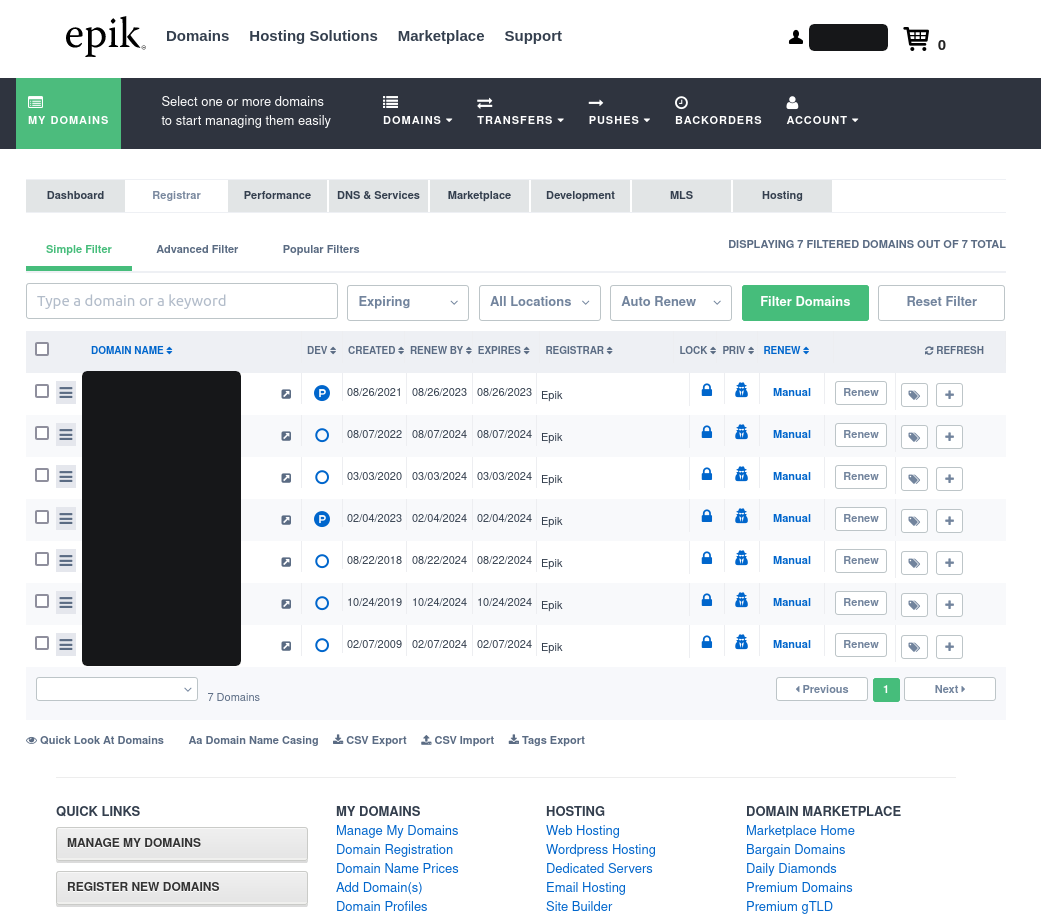
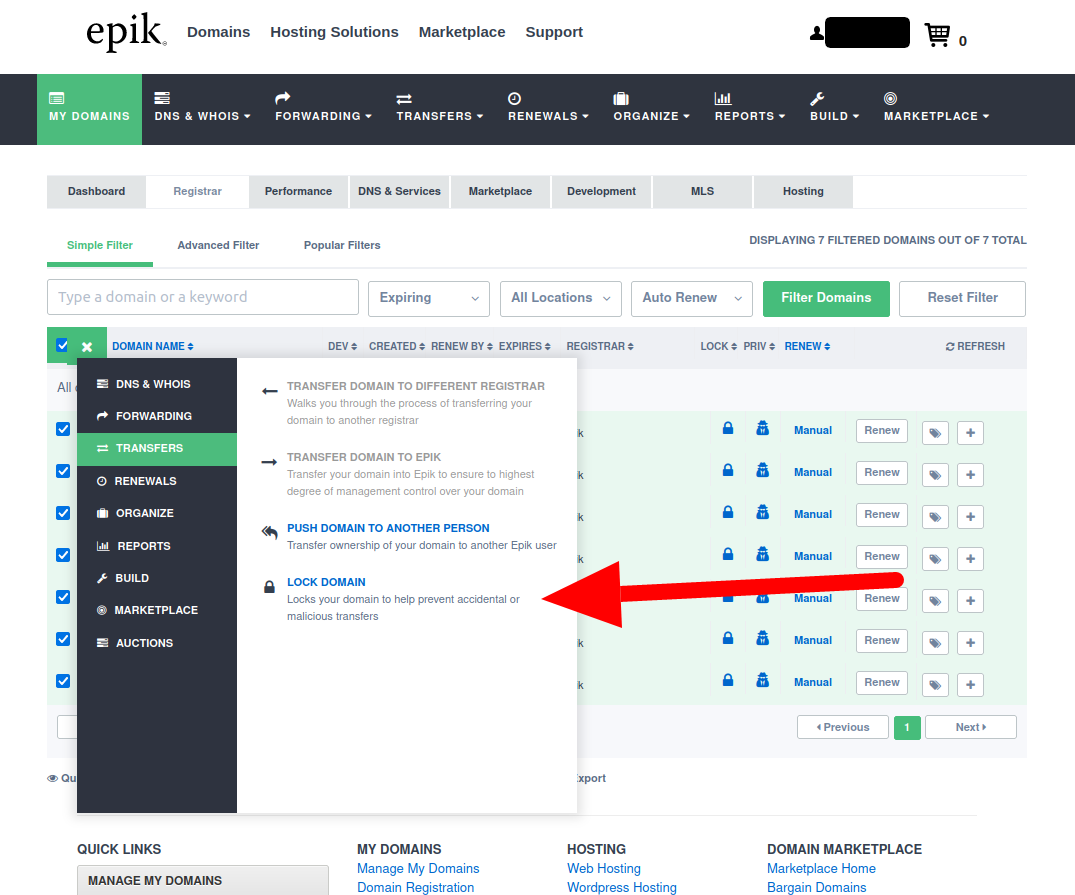
2. Unlock the domains you want to transfer. Unlocking the domains you want to transfer can be performed as a bulk action: click the checkbox next to each domain name you want to transfer, then click the hamburger icon in the table header (just to the left of the DOMAIN NAME table column). Choose TRANSFERS > LOCK DOMAIN.
Then click the Unlock Domain(s) button in the popup that appears.
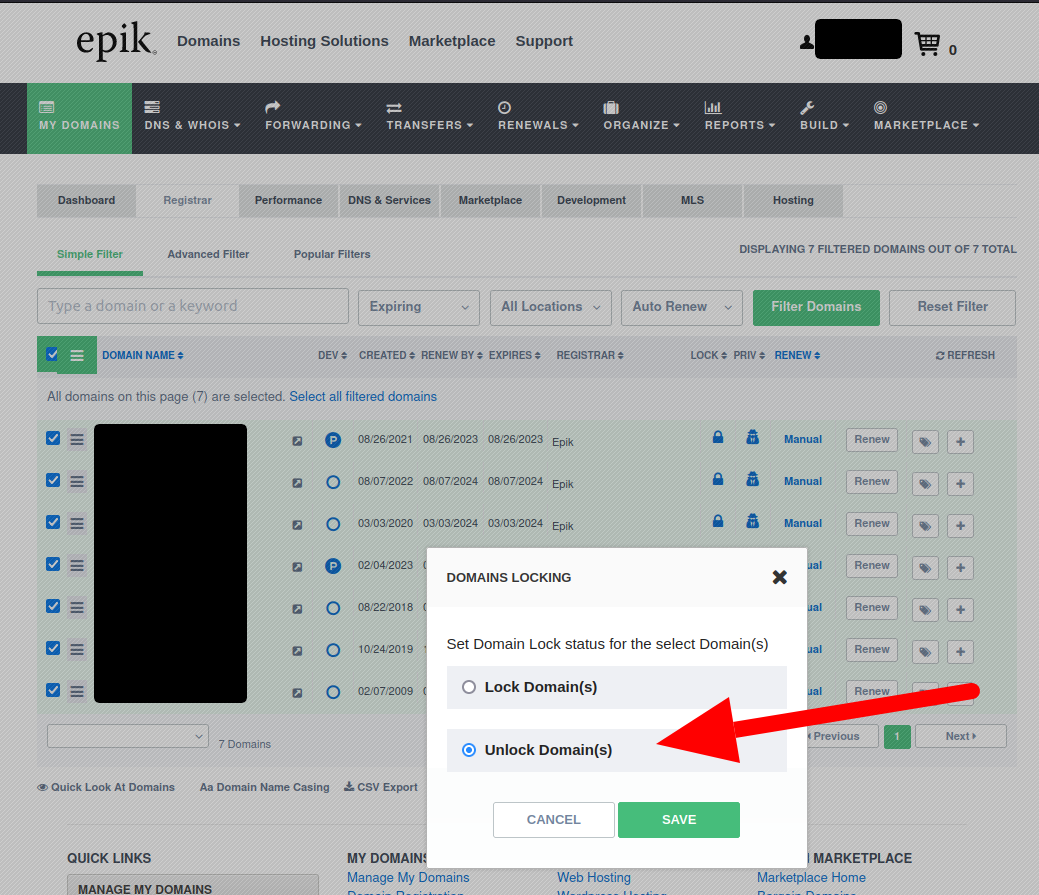
It will take a few seconds for the unlock to be applied. You can continually refresh the page to see if the unlock action has been applied to your domain names. Once an unlocked lock icon is shown to the right of your domain name(s), you can begin the transfer process.
3. Transfer domain away from Epik. This action must be performed one domain name at a time. Click the hamburger menu next to your domain name, and select TRANSFERS > TRANSFER DOMAIN TO A DIFFERENT REGISTRAR.
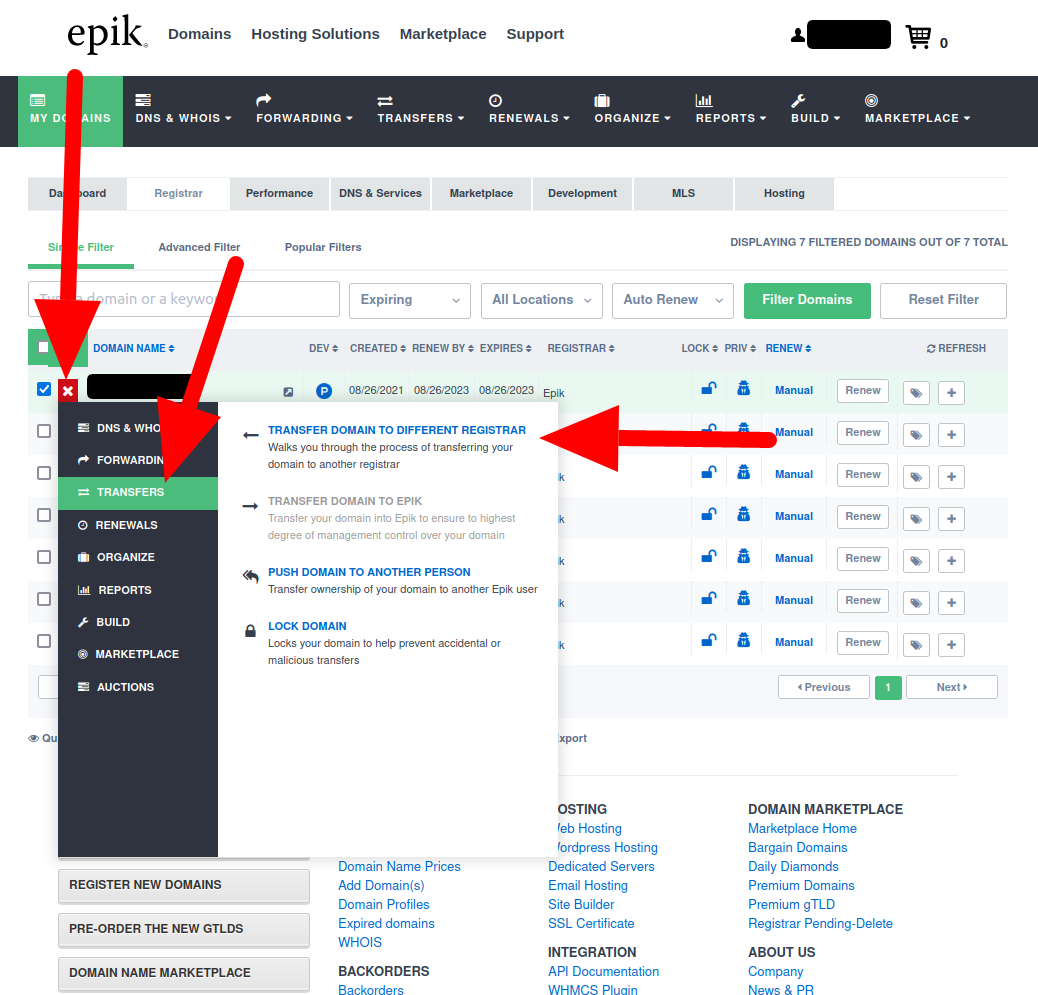
This will redirect you to the Transfer Domains To Another Registrar page that displays the domain name's authorization code. This is the secret code that allows you to move the domain name to a different registrar. Copy the authorization code. Epik will also send the authorization code in an email to your domain's admin contact.
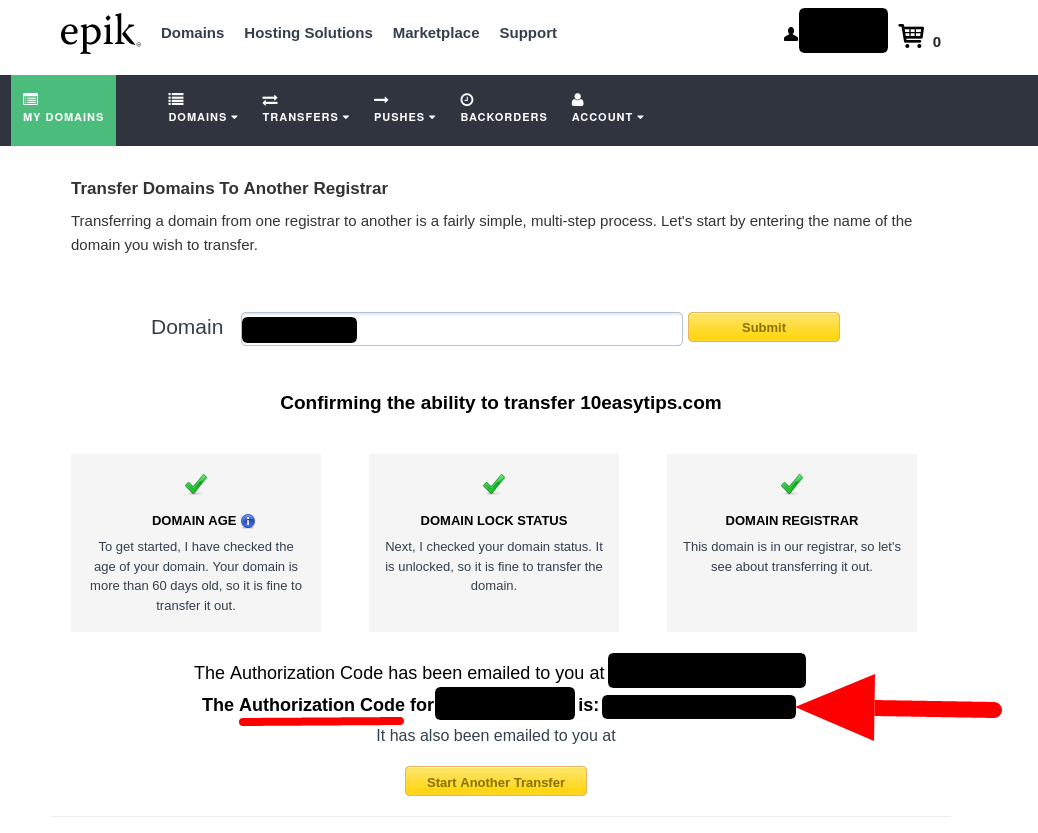
4. Get the authorization code for each domain name you want to transfer. To repeat the process for another domain, click your browser's back button and go back to step 4. You can also click the Start Another Transfer"** button and manually type in your domain name that you want to transfer. Remember that each domain name has its own unique authorization code, so be sure to keep them matched up when copying and pasting them.
5. Purchase transfer with your new registrar. Navigate to your new registrar's website, and find the page to transfer a domain in. Enter in your domain name(s) and the authorization code(s).
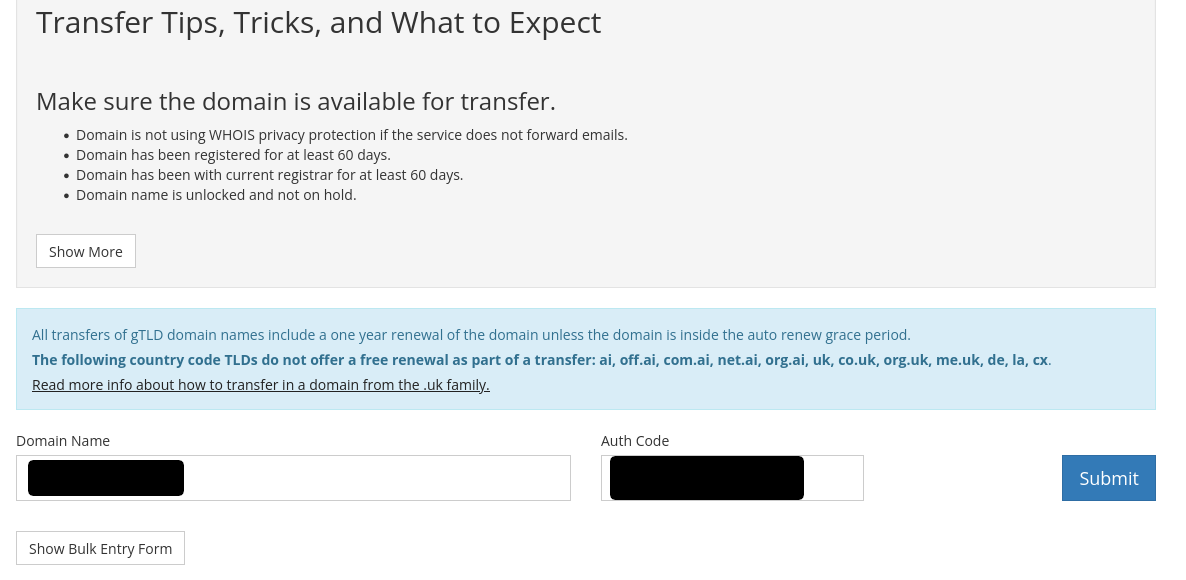
You will need to go through the checkout process and pay the transfer price for transferring the domain(s) to your new registrar (and in most cases, the transfer will renew each domain for an extra year).
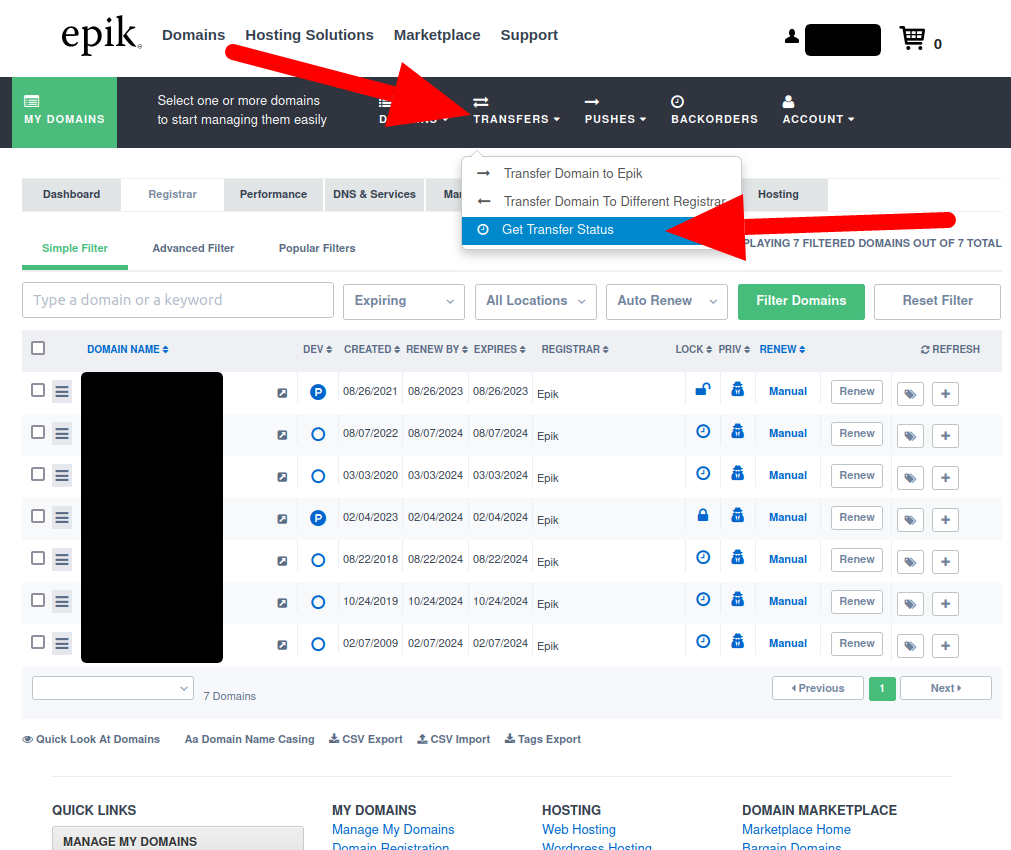
6. Expedite the transfer process. In general, registrations will take 5 to 7 days to complete. However, you can speed up the process by instructing your Epik to release the domain early by manually approving the transfer. Once Epik receives and acknowledges your transfer from your new registrar, it will send a confirmation email to your domain's admin contact (this usually takes about 30 minutes). You can safely ignore this email to continue with the transfer process. If you'd like to expedite the transfer, navigate to your Epik account's TRANSFERS > Get Transfer Status Page.
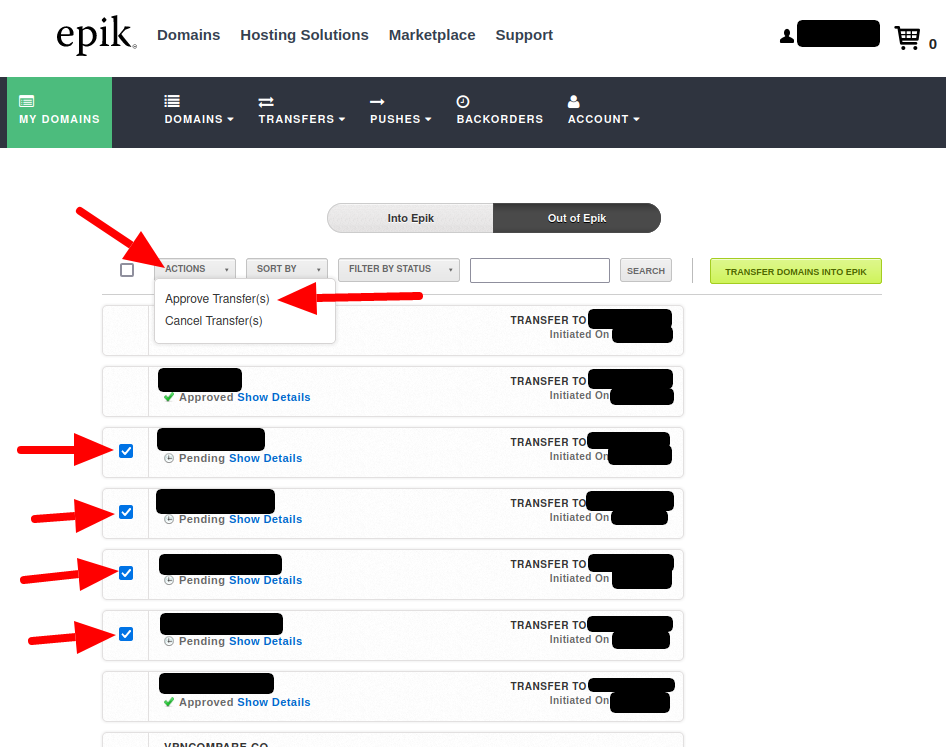
Click on the Out of Epik button to show all domains that are transferring away from Epik. Click the Show Details... link under the domain name transfer you want to approve and expedite, and click ACTIONS > Approve Transfer(s)
UPDATE: Epik now requires Two-Factor Authentication to be enabled on your account in order to approve and speed up transfers.
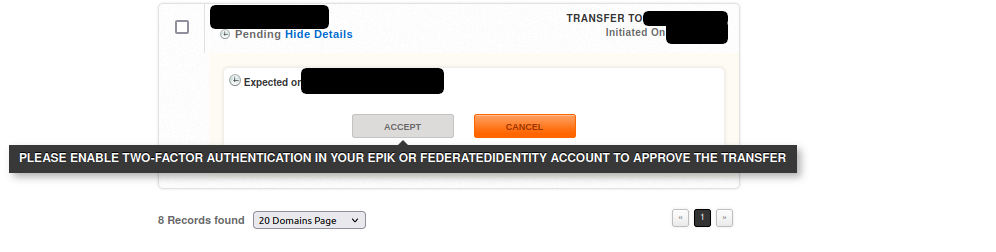
To enable Two-Factor Authentication, perform these steps:
- Navigate to your Epik acount Security Settings.
- Enable the TEXT-MESSAGE (SMS) 2-FACTOR AUTHENTICATION (2FA) or GOOGLE 2-FACTOR AUTHENTICATION (2FA) setting and follow the instructions.
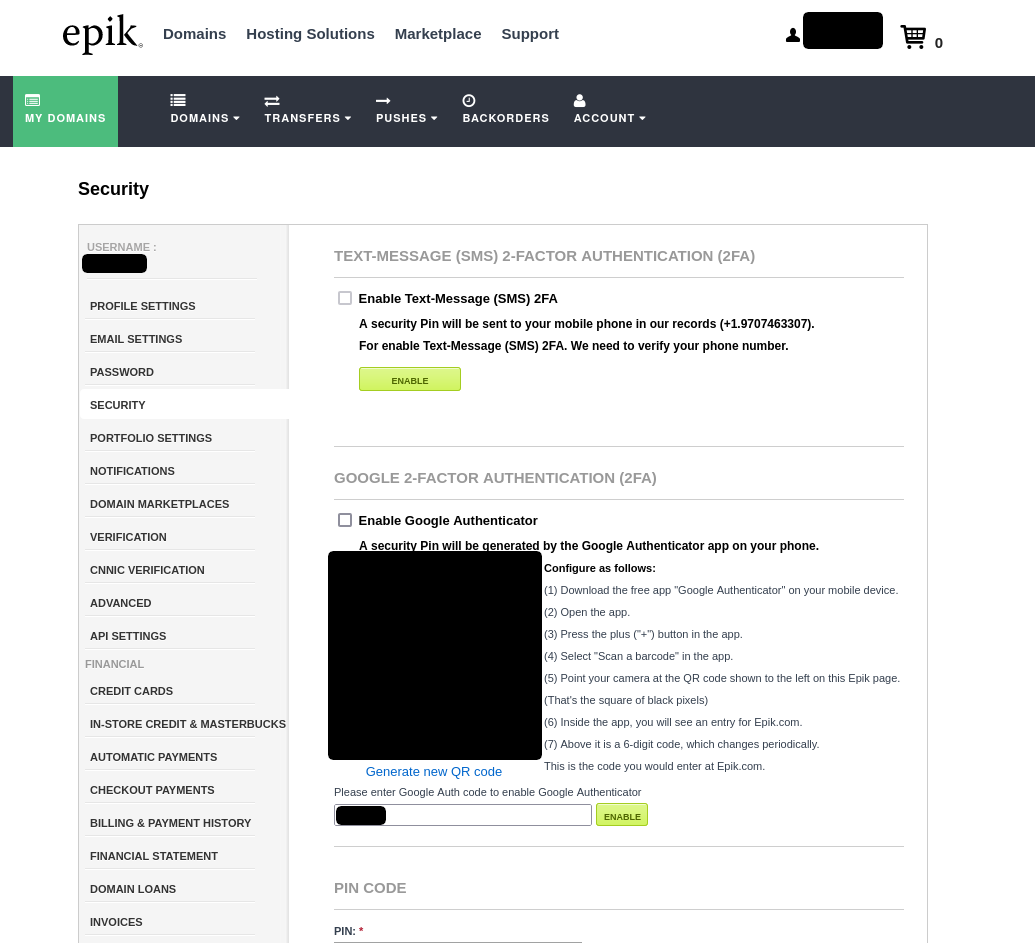
Once Two-Factor Authentication is enabled, navigate back to your Epik account's TRANSFERS > Get Transfer Status > Out of Epik Page and approve the domain name transfers. After performing this step, each domain will show an Approved status.

Depending on your new registrar, the domain transfer may now be finalized in as little as 15 minutes.